Dog Training Scheduling Software: The Session You Booked Twice
You are in the yard with a reactive collie, and at the end of the hour the owner asks whether you could come back Thursday afternoon. You say yes and pick four o'clock, because Thursday afternoon is quiet. You write it on the back of the invoice book so you do not forget, and you do not forget: it goes in the phone that evening while the dinner is on.
Thursday at ten to four, a different client texts to ask if you are still coming. You are not, because you are already halfway across town to the collie. That session was booked eight days ago from your laptop, into the calendar you actually use for work, and the Tuesday-in-the-yard booking never made it there.
Nobody was careless. The session got written down in the one place available at the moment somebody asked, which is how nearly every double-booking in a training business happens.
A training business does not have one kind of appointment
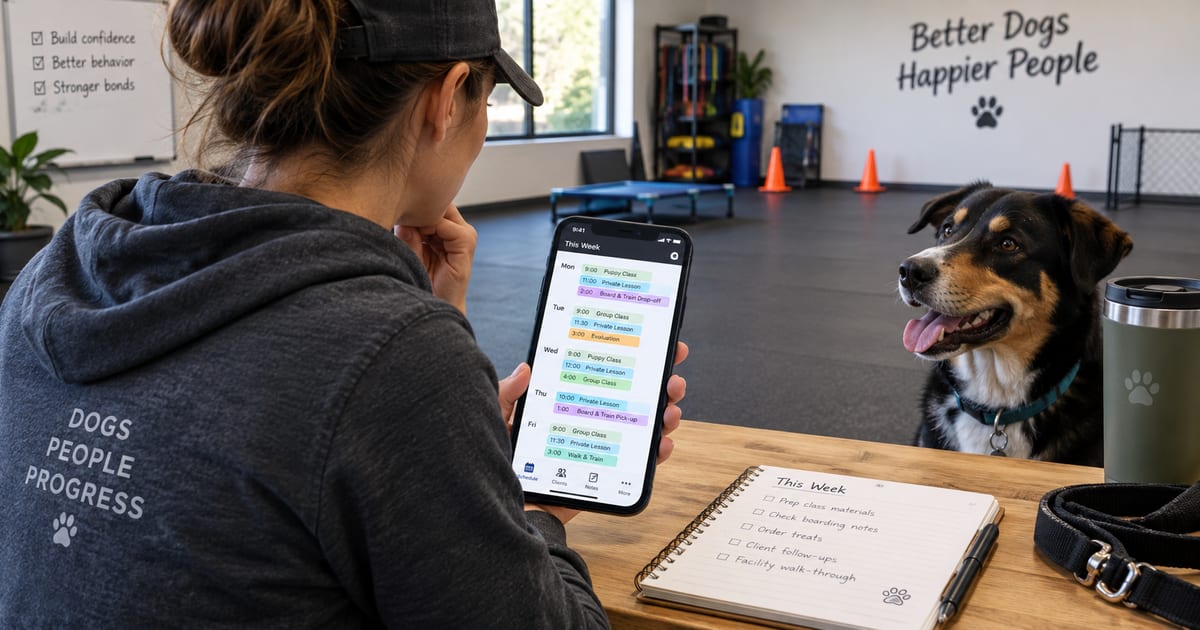
Most scheduling advice assumes your day is a row of identical hour-long slots. A training week is not that. In one seven-day stretch you might have six private sessions at six different addresses, a group class that runs the same evening for six weeks, a board and train dog occupying a run from the 3rd to the 12th, two day training drop-offs at 8am, and a phone consult with somebody who filled in your contact form on Sunday.
Those are five different shapes, and left to themselves they end up in five different places: private sessions in your phone, the class roster in a spreadsheet, the board and train dates on a whiteboard in the kennel, the drop-offs in your head, the consult in an email thread. Every one of those is a perfectly reasonable place to put that one thing. Together they mean no single view of your week exists, so you are the only integration between them.
The fix is not a better whiteboard. It is that all five belong on the same calendar, because they all consume the same thing: your hours.
A calendar that only knows your sessions is a diary
Here is what makes calendars fail trainers specifically. Your unavailable time is not a small edge case around the margins of your bookings. It is most of the constraint.
You do not work Sundays. You pick a child up at 3:15 every weekday. You will not book anything more than twenty minutes from home after 6pm. The first Thursday of the month is your own dog's vet. There is an hour in the middle of the day that is not lunch so much as the only time you write session notes. None of that is a session, so on a calendar that stores only sessions, none of it exists, and the calendar will cheerfully let you book straight through all of it.
Working hours and blocked time need to be first-class entries, and the recurring ones need to be recurring, because you will not re-enter the school run fifty-two times. Once your calendar knows when you are not available, booking gets easier rather than harder: you are choosing from the times that are genuinely open, not scanning for the ones that are not.
A calendar that records what you agreed to is a diary. A calendar that also knows when you are unavailable is a schedule.
Double-booking is a data problem, not a discipline problem
Trying harder does not fix the collie Thursday. The only thing that fixes it is that the moment you pick a time, something checks it against everything else already on the books and tells you before you say the words out loud.
That check has to see across all of it: the other private sessions, the class that runs at that hour, the block you put on Thursday afternoon last month, the drop-off window. Conflict detection that only looks at one type of appointment will pass a booking that collides with the other four.
This gets sharper the second you have a second trainer. Two people booking into a shared week with no live view of each other is not a scheduling problem, it is an argument waiting to happen, usually about a room or a van. If you are bringing on a trainer, one calendar you can filter by person, where each trainer's own hours and blocks are theirs, is the thing to have in place before their first week rather than after it.
Let clients ask without letting them book on top of you
Most trainers resist self-scheduling for a good reason: the thought of a client dropping a session into 7am on a Saturday because the calendar said it was empty.
The version that works keeps you in the loop without keeping you in the thread. A client asks through the portal for a time they can see is open, and it lands as a request you confirm or move, which spares you the six texts it usually takes to agree on a Wednesday. If you would rather it just book, you can let it just book, but that should be your call rather than the software's.
New inquiries are the other half. Somebody who has never trained with you should be able to pick a consult slot from your real availability instead of starting the four-day exchange that loses so many of them. The point is not to be more automated. It is that the back-and-forth about what time works is the least valuable conversation you have all week, and it does not need you in it.
The confirmation is part of the booking
A booking is not finished when it is on your calendar. It is finished when the other person knows about it, and when they get told again if anything changes.
That means a confirmation goes out when the session is booked, and a notice goes out when it moves or gets cancelled, by email or text, without you writing either one. It means the people who need a nudge get one: the class that starts tomorrow evening, the day training drop-off at eight. And it means those go out at a civilised hour rather than at 11pm because that was when you did your admin.
Most no-shows are not people who changed their mind. They are people who were told once, three weeks ago, and had a normal week.
Keep the calendar you already live in
The last thing worth saying about scheduling software is that it should not ask you to abandon the calendar on your phone. You have years of habit there, and it is where your own life lives.
Sessions should flow into that calendar automatically, so the schedule you check at seven in the morning is complete. For a team, each person should see the sessions that are actually theirs to see, rather than everyone's entire week landing on everyone's phone. Booking happens in one system so nothing collides. Looking happens wherever you already look.
From a trainer using HeelYeah
“HeelYeah! is the first one I’ve used that actually fits the way I work from beginning to end. I can manage my leads, onboard a new client, handle payments and scheduling, and then actually deliver and manage their training in the same place.”
What to fix first
If you only change one thing this month, get every kind of appointment onto the same calendar. Private sessions, class terms, board and train stays, day training drop-offs, consults. Not because a single view is tidier, though it is, but because a conflict cannot be caught between two systems that have never met.
Then put your unavailable time on it, including the recurring parts. Then stop being the one who sends the confirmation.
The trainer who never double-books is not more organised than you are. They just stopped keeping the schedule in five places, and one of those places was their memory.